Own product · Accessibility · Preview
CartPass: can a blind shopper buy from your store?
Accessibility scanners give store owners page scores, not the answer they need: can someone actually buy? CartPass walks the purchase path keyboard-only, guided by what a screen reader announces, and stops at the first element that blocks checkout. I own the product: positioning, UX/UI, report design and pricing.
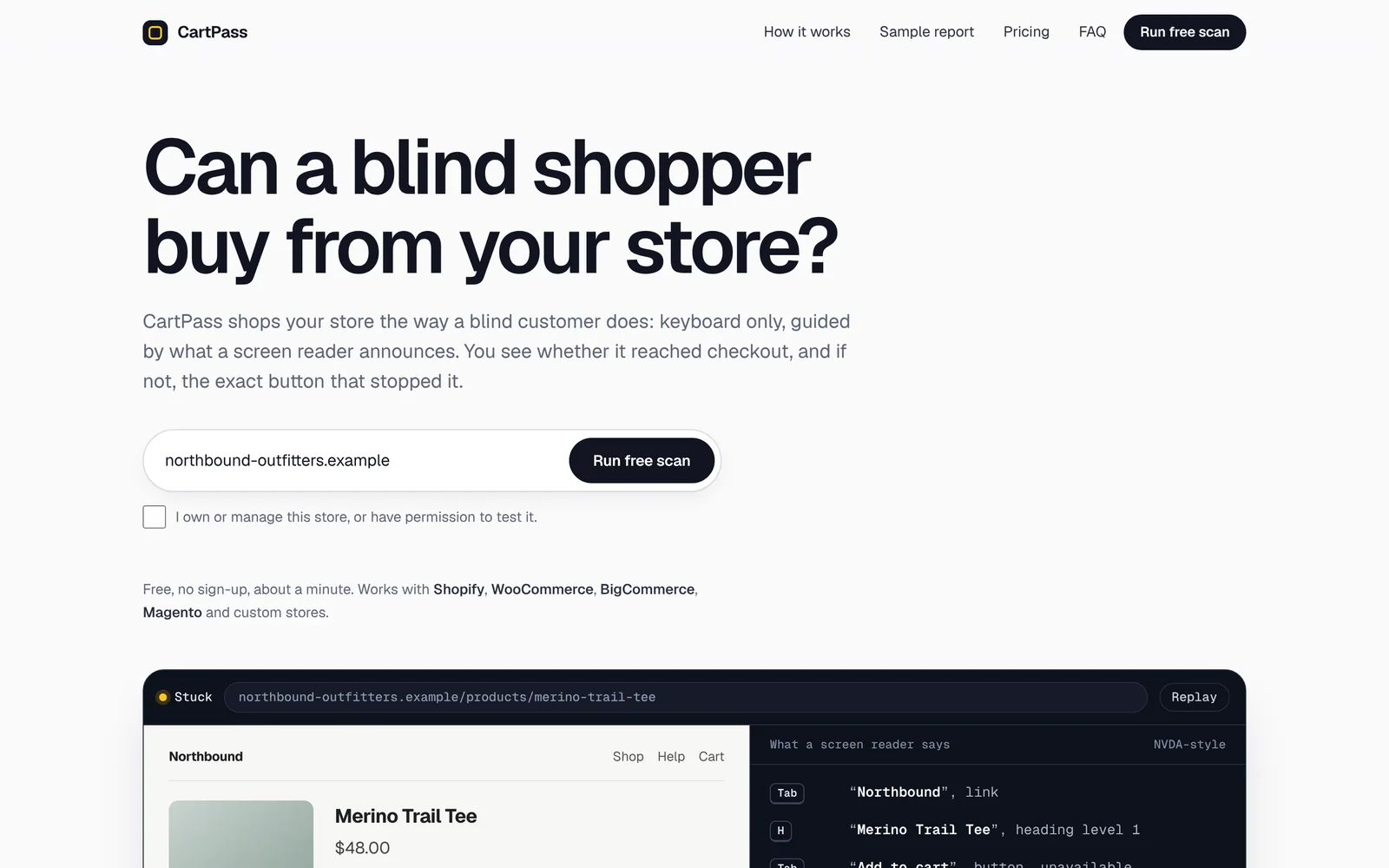
The gap
Page scores don’t tell an owner whether people can buy.
Rule scanners grade pages one at a time. A store can pass most checks and still lose every blind customer at the size picker or the cart drawer. The landing (cover above) leads with that question and shows the answer straight away: a replay of a real test run, with the keyboard focus ring and what the screen reader says, side by side.
The journey
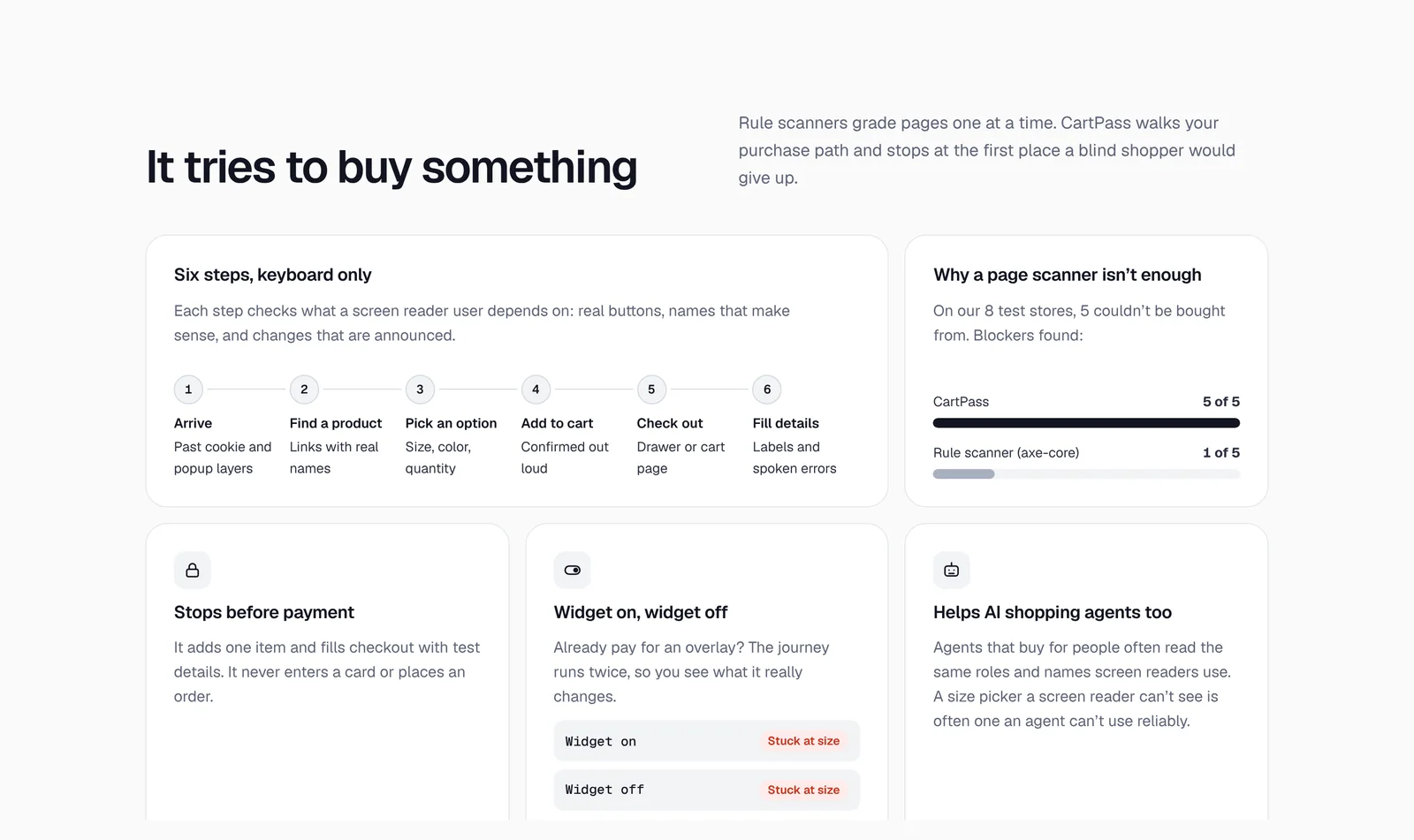
Six steps, keyboard only, and it stops before payment.
CartPass arrives past cookie and popup layers, finds a product, picks an option, adds to cart, checks out and fills details with test data. It never enters a card or places an order. On the eight test stores, five couldn’t be bought from: CartPass found the blocker on all five, a rule scanner (axe-core) on one.
The report
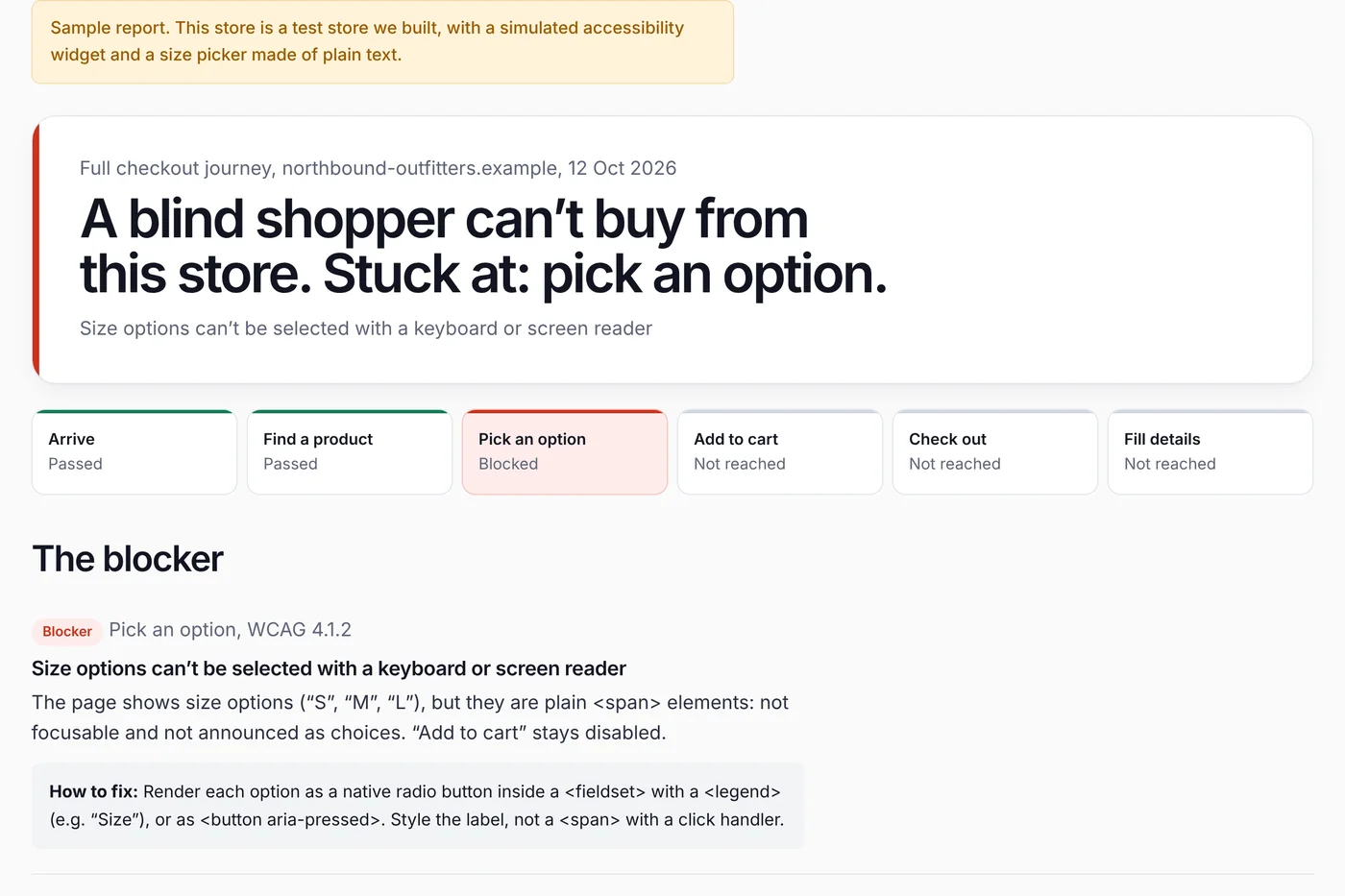
The verdict comes first. The evidence follows.
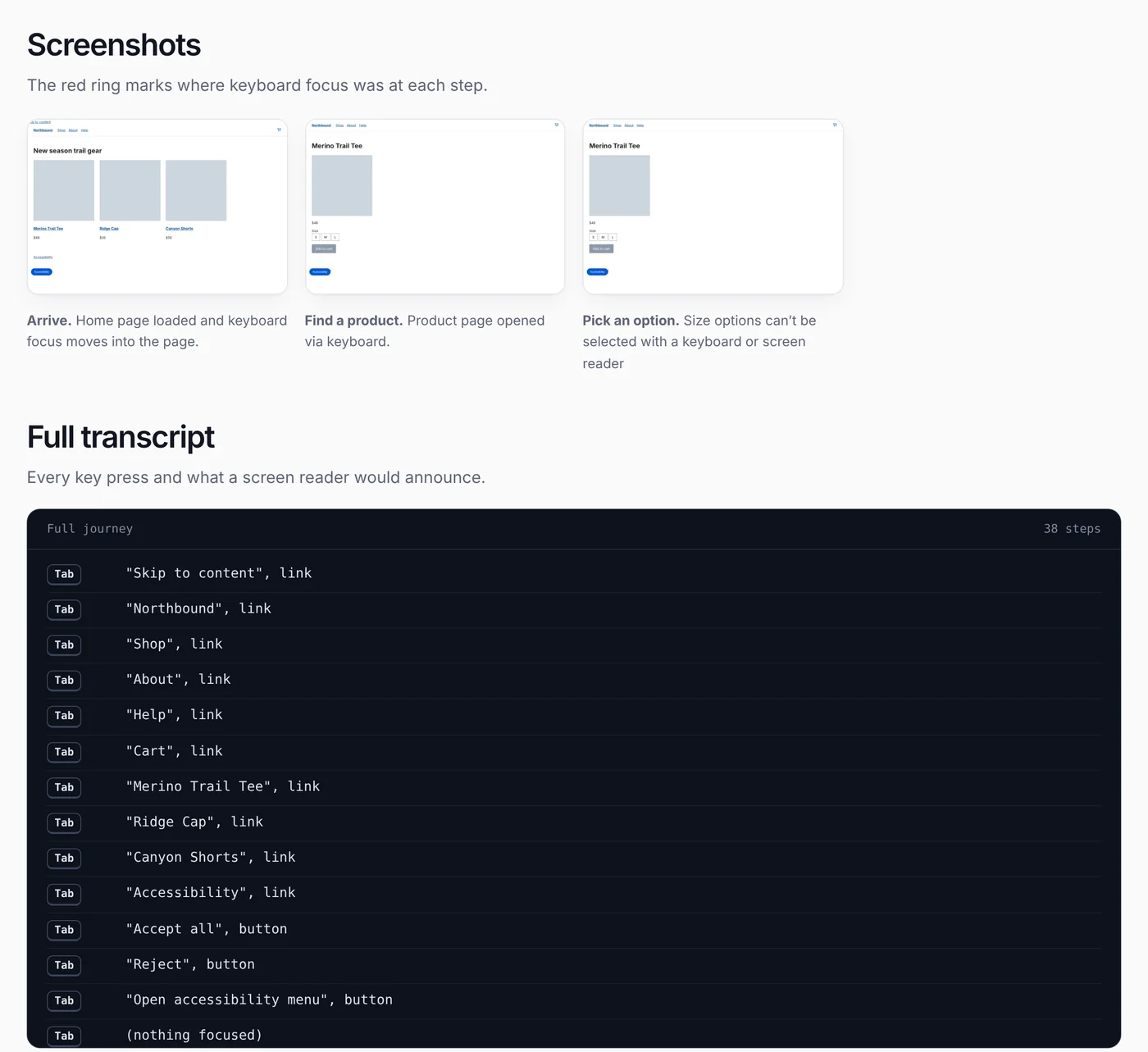
The report opens with one line an owner can repeat to their team: “A blind shopper can’t buy from this store. Stuck at: pick an option.” A step bar shows where the journey stopped. Below it sit the blocking element, a fix a developer can apply, screenshots with focus marked, and the full screen reader transcript.
Free scan
A free result that’s useful on its own.
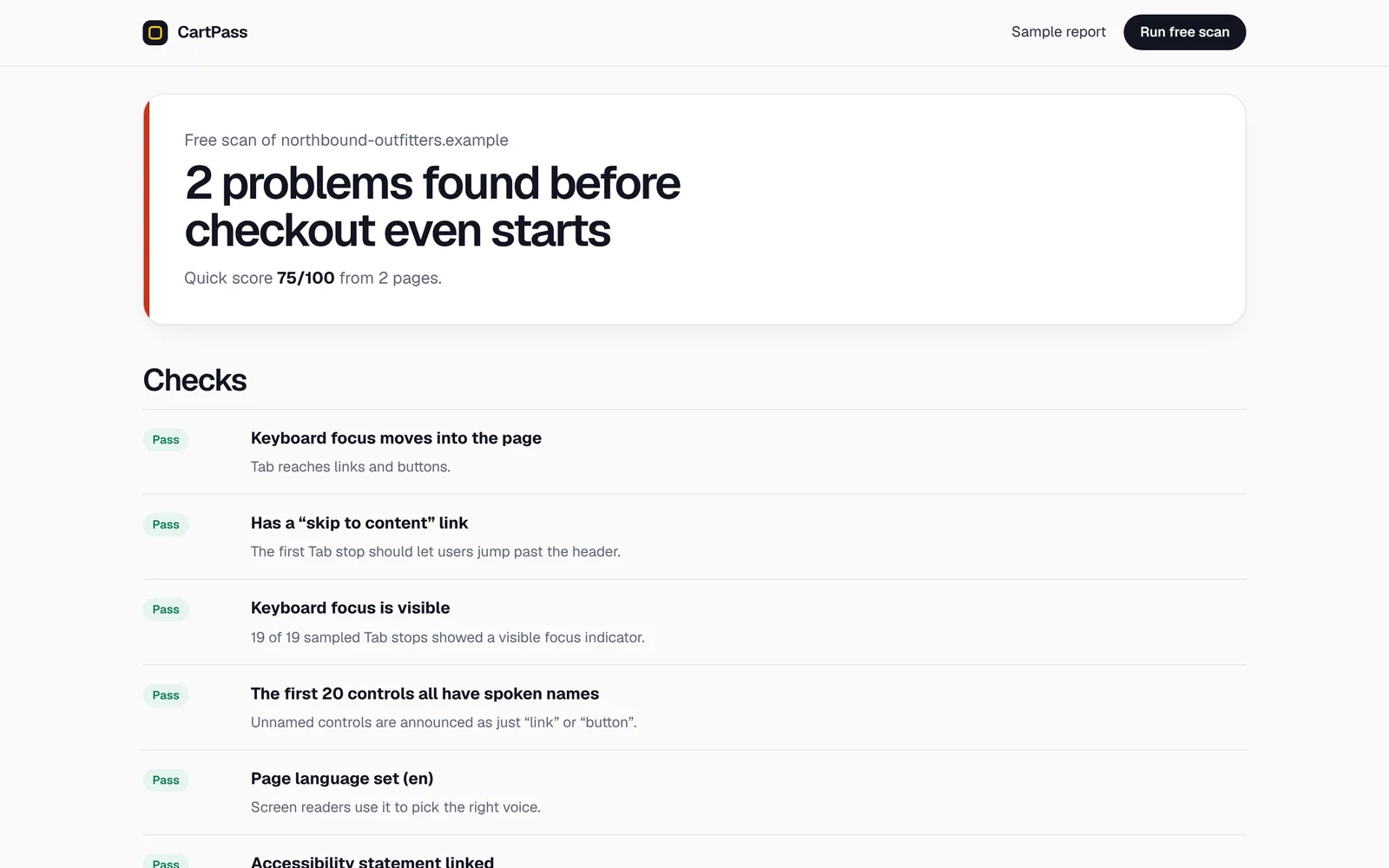
The free scan checks the home page and one product page in about a minute: keyboard focus, skip link, spoken names, overlay widgets and automated WCAG 2.2 AA rules. It lists what passed and what didn’t, then offers the full checkout journey as the next step.
Pricing
Pay once, and get your money back if it can’t run.
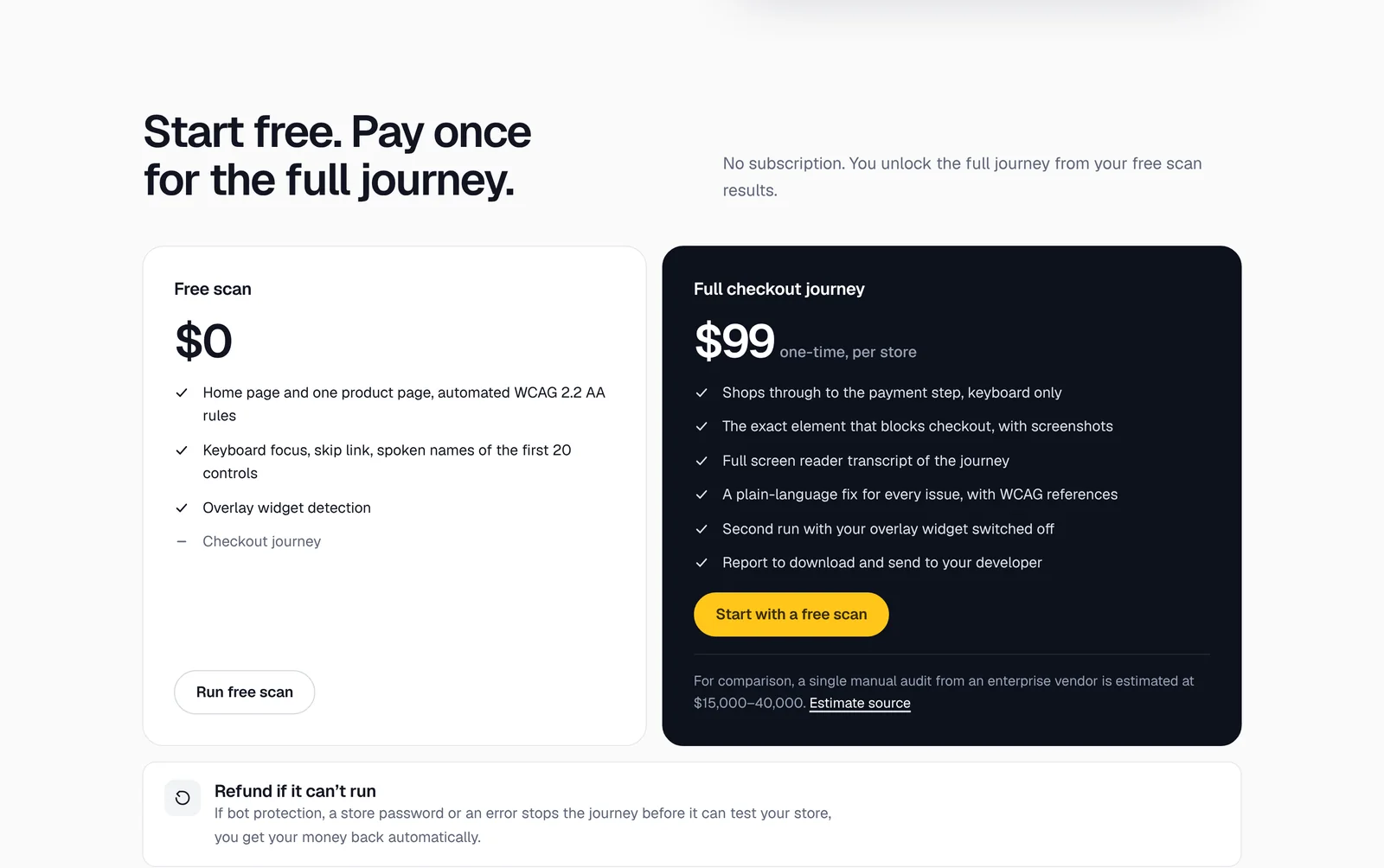
There’s no subscription. The free scan costs nothing; the full checkout journey is a one-time $99 per store. If bot protection, a store password or an error stops the journey before it can test anything, the refund is automatic.
Honest limits
Saying what it can’t do.
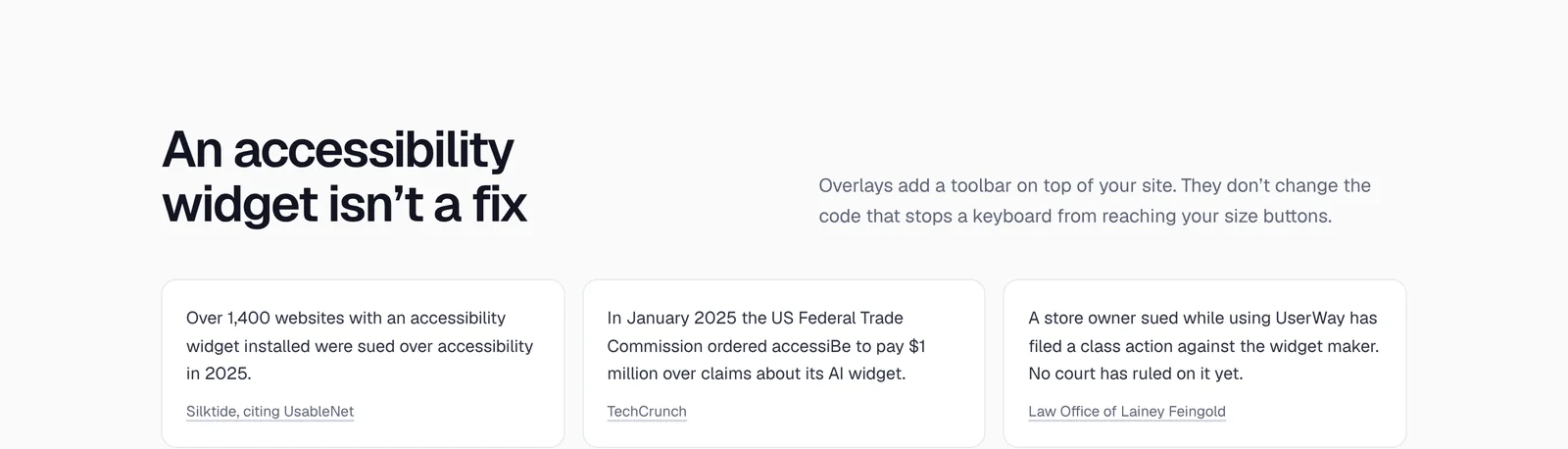
CartPass doesn’t certify ADA or WCAG compliance, and the FAQ says so. For stores that already pay for an overlay widget, the journey runs twice, widget on and widget off, so owners can see what the widget really changes.
On a phone
Readable where owners actually check.
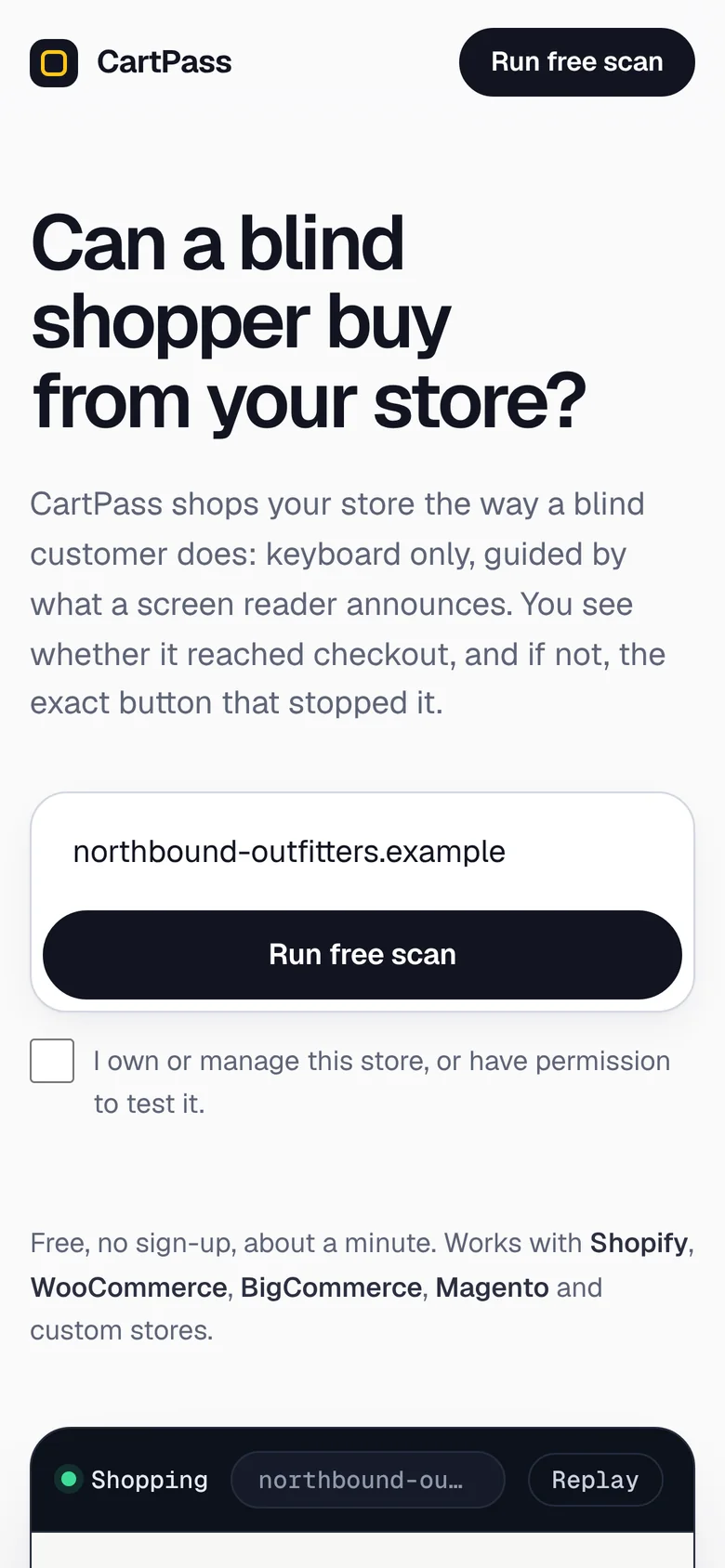
Landing · question, address field, replay.
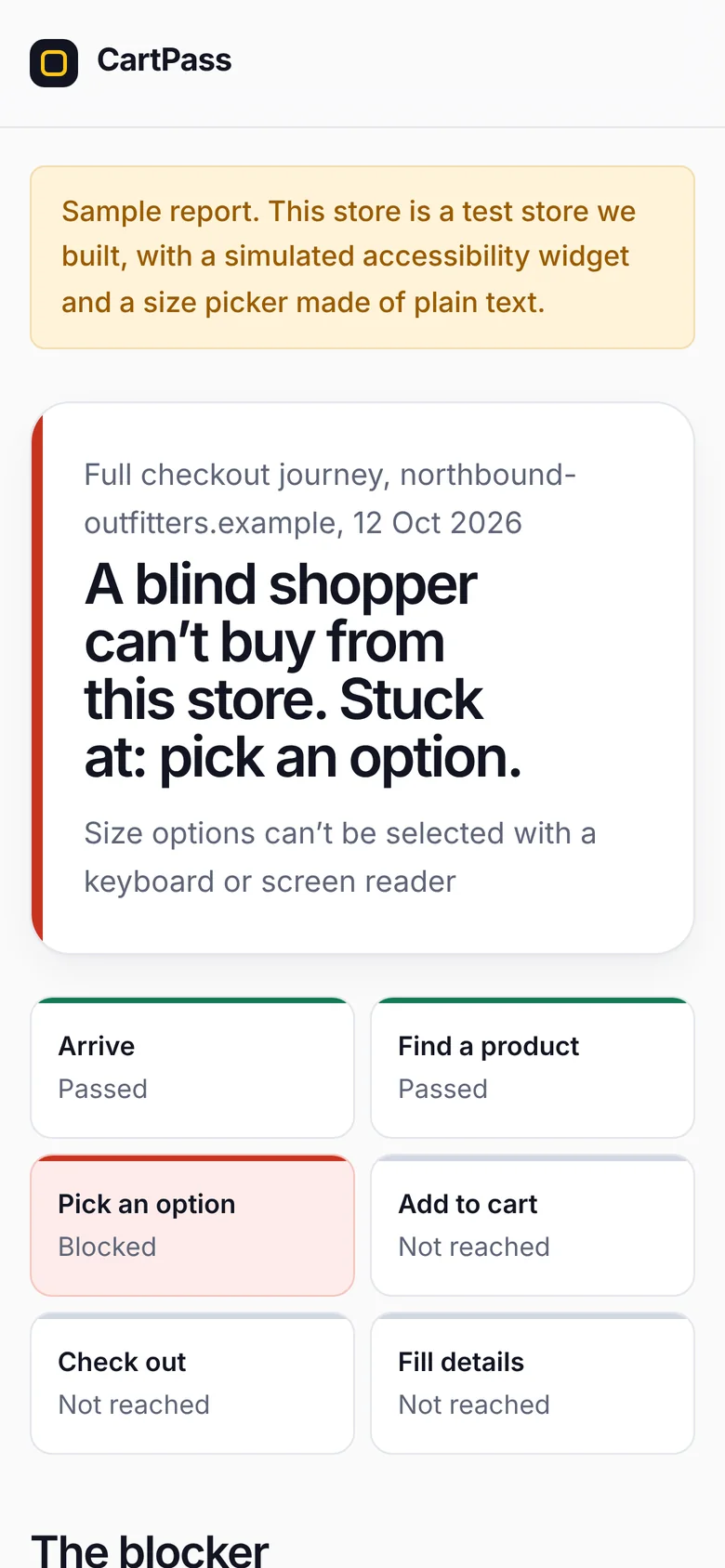
Report · verdict and step bar first.
Status
Ready for the first real stores.
The preview runs on a test store I built, with a simulated widget and a size picker made of plain text. A database of top online stores is ready to scan. Accessibility stays the priority; checkout and payment checks, such as PayPal, come later as additions.
Preview build: scans shown are pre-recorded on the test store, and nothing is sent or charged. There are no customer numbers yet.